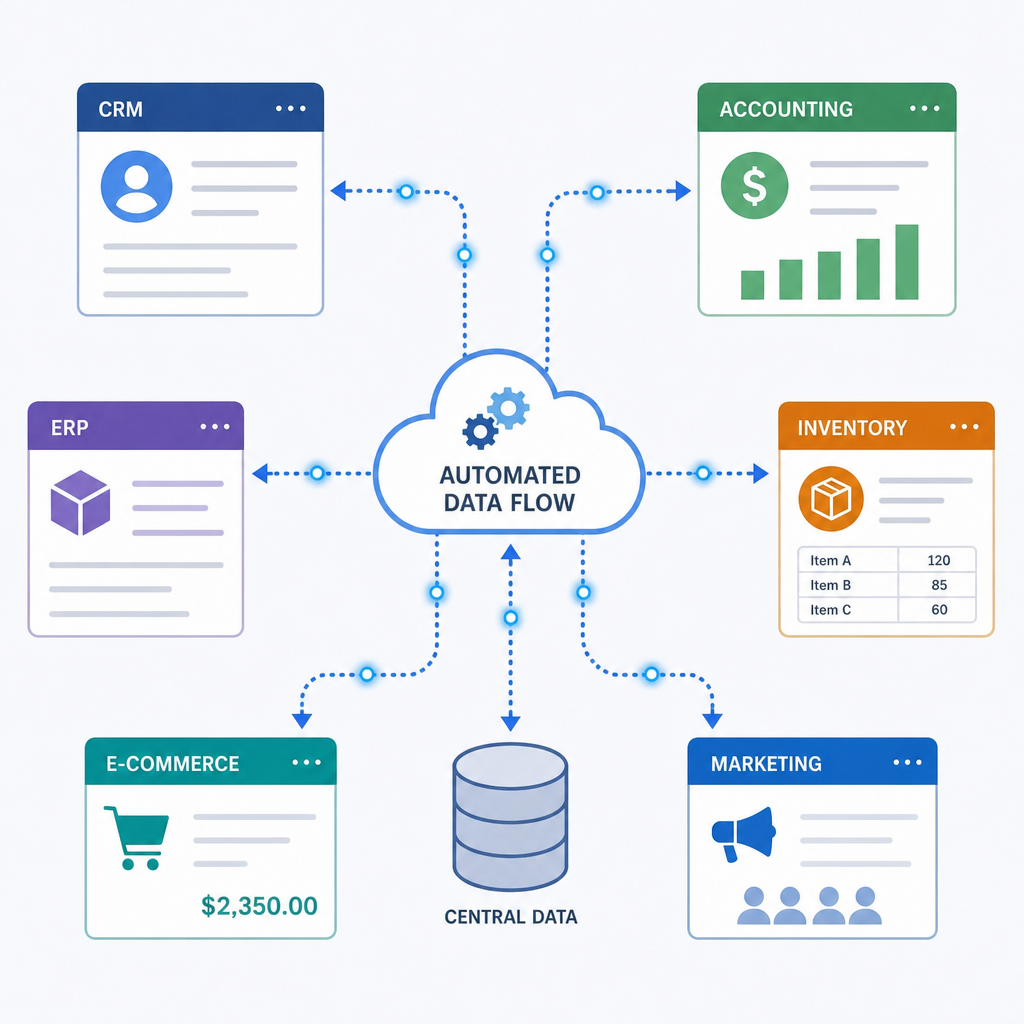
In today's fast digital world, businesses want less repeat work. They want data to move across apps. They also want work to stay smooth. Workflow automation now drives growth, speed, and an edge. n8n integration gives a strong way to link apps, data, and APIs.
When setup feels hard for tech and non-tech teams, N8nPort helps. It brings Managed n8n Hosting to the n8n platform. It gives teams a tuned setup for smooth runs and less downtime. You can sync CRM data, start email flows, or handle support tickets. n8n automation gives flexible control without heavy server work.

This guide shows the main gains of N8nPort. It shows how it helps your automation plan. It also shows why it can fit a growing business.
Why Choose n8n Over Older Automation Tools?
For years, teams have used common iPaaS tools for simple jobs. But when you compare n8n vs Zapier for business use, n8n gives lower cost, more freedom, and deeper control. As an open-source option versus Make.com and Zapier, n8n does not lock you into rigid task caps or step caps. That gives you more room to scale fast.
n8n is also strong with complex logic. If your team needs multi-step routing, rule-based reports, or onboarding flows, you need a tool that fits your rules. With low-code, node-based workflow design, teams can map logic in a visual way and still use code when needed. This mixed model lets analysts and developers work on one n8n platform.
The N8nPort Advantage: Hosting and Deployment Made Easy
Choosing where to host your automation engine is a big choice. Many IT teams want to install n8n on Docker to keep data and servers under control. The DIY path can support self-hosted workflow automation benefits like privacy, network isolation, and deep config. But it also means server work, patching, and uptime checks.

This is where N8nPort helps. It gives reliable n8n hosting and takes the tech burden off your IT team. A managed n8n setup lets your team focus on high-value integrations and business logic, not Linux servers or reverse proxies. With N8nPort, the n8n deployment path is smooth, with high uptime, backups, and secure enterprise setup out of the box.
For agile teams that want cloud scale, n8n cloud on N8nPort gives fast growth. You get peace of mind from expert infrastructure care, so your n8n workflow automation can grow with your business without friction.
Advanced Config, Flexibility, and API Links
N8nPort opens the full range of n8n's tech, so teams can build linked automated systems.
Connecting the Unconnected
n8n includes many native integrations. But enterprise setups often need links to old or niche private systems. The platform is strong at building custom API connectors with the HTTP Request node. Teams can also use the n8n community nodes library for ready-made links to special tools.
Security and access control matter when you connect these systems. OAuth2 auth for nodes is simple and well documented, so your data stays safe and fits modern API rules.
Real-Time Data and Advanced Data Handling
Batch jobs help with end-of-day reports. But modern teams need real time. By handling webhooks for real-time data, custom workflows can start the moment a purchase happens, a lead sends a form, or a key alert fires.
Once data enters the flow, it often needs cleanup. The platform gives built-in tools for JSON data handling. You can rename keys, filter nested arrays, pull out text, and merge data from many APIs. The process stays visual and clear.

Unlocking Flexibility with Code
Basic automation tools can hit a wall when business logic gets too hard. N8nPort avoids that wall by supporting n8n expressions and JavaScript functions across the workflow.
When drag-and-drop mapping is not enough, you can add a Code node and write custom JavaScript. That lets developers change data shapes, build hard rules, or parse tricky text. It brings a full language into the visual canvas, so no integration job is too hard.
Best Practices for Reliability and Scale
As your business grows and automation use rises, keeping workflows healthy is key.
Building Stronger Systems
A broken workflow can cause lost leads, bad orders, or bad records. So error handling in automated workflows is a must. With N8nPort, admins can set error trigger nodes to alert the IT team through Slack, Microsoft Teams, or email the moment a key process fails. You can also retry failed API calls or send hard errors to a human review step.
Improving Speed and Load
When systems process many tasks each day, improving workflow execution performance helps keep speed high and server load low. Good practices in an N8nPort setup include:
Turn off unneeded data logging in live production to save memory.
Split work with sub-workflows to keep main flows clean and light.
Batch outgoing API requests to stay under rate limits.
Archive execution logs often so the database stays fast.
Seamlessly Moving Existing Operations
Many teams are stuck with costly, rigid legacy automation systems that slow new ideas. For these companies, migrating legacy automations to n8n through N8nPort is a smart long-term move.
A full migration needs careful planning and a clear map of linked business processes.
The long-term ROI can be huge. Lower monthly license costs and better agility make the move worth it. By auditing current setups, translating them into n8n's node-based architecture, and testing them in N8nPort's stable environment, your company can modernize the stack with less risk.
Conclusion
Using n8n integration through a focused platform like N8nPort gives modern teams more control over daily efficiency. From fast deployments and real-time data handling to the flexible power of custom JavaScript nodes, the platform is built to scale with major goals.
By moving away from costly legacy tools and choosing a managed architecture, your team can focus on what matters: shipping ideas, serving customers, and growing the business. Whether you need simple daily syncs or large enterprise flows, N8nPort gives a clear, reliable base for your automation plan.
Q&A
Question: How is n8n different from tools like Zapier or Make.com for business automation?
Short answer: n8n is open source and cost aware. It does not trap you in rigid task or step pricing. It handles multi-step logic well. Its low-code, node-based builder also lets you move into code when needed. This mixed model helps analysts and developers work together on complex automations.
Question: Why use N8nPort instead of self-hosting n8n on Docker?
Short answer: Self-hosting can give strict data privacy, network isolation, and deep config. But it also brings steady maintenance, security patching, and uptime checks. N8nPort removes that burden by giving managed n8n hosting, cloud options, high uptime, backups, secure enterprise setup, and a smooth deployment path.
Question: Can n8n and N8nPort support real-time automations and complex data shaping?
Short answer: Yes. You can trigger workflows at once with webhooks for real-time events, then use built-in tools to manage JSON data, like renaming keys, filtering nested arrays, pulling substrings, and merging datasets. The process stays visual and easy to follow while still handling complex logic.
Question: How do I connect niche or legacy systems safely with N8nPort?
Short answer: Use n8n's HTTP Request node to build custom API connectors and use the community nodes library for ready-made links. Security stays strong by setting up OAuth2 auth for nodes, which keeps data exchanges safe and compliant on top of N8nPort's secure hosting base.
Question: What practices keep systems reliable and fast at scale?
Short answer: Set up error trigger nodes that alert your team through Slack, Microsoft Teams, or email; retry temporary failures; and route hard issues to a human review step. For speed, turn off unneeded production logging, split work with sub-workflows, batch outgoing API requests to respect rate limits, and archive execution logs to keep databases fast.